
A11yMate
An accessibility checker and fixer for WordPress, built by OakFox: a whole-site audit, plain-English fixes, an editor assistant, safe automatic fixes and a free page checker. No overlay, no compliance badge.

- Type of work
- Design and development
- Year
- 2026
- Client
- A11yMate (OakFox product)
- What we did
- developmentdesignproductaccessibilitywordpress
What came of it
- A WordPress plugin that audits a whole site, not just one page, and explains every problem in plain English
- Safe fixes that are off until you switch them on, change only what visitors receive and can be turned off again
- A free one-page checker on the web, and the same engine behind OakFox's accessibility audits
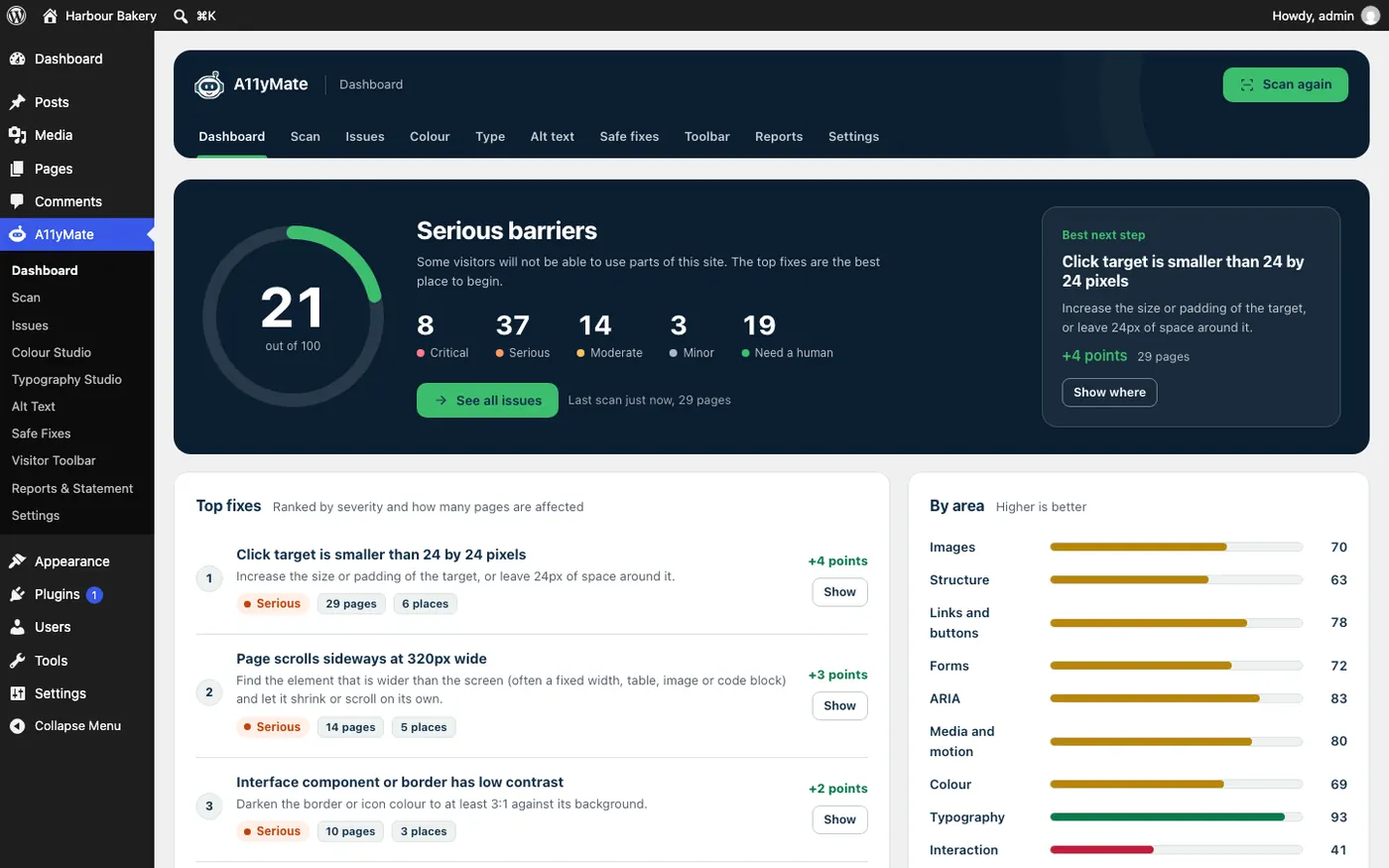
A11yMate is an accessibility checker and fixer for WordPress, and OakFox’s own product. It scans a whole site, ranks what it finds by how much it matters to real people, explains each problem in plain English, and fixes the ones that are safe to fix. It’s the tool behind OakFox’s accessibility audits and fixes.
The Problem
Most small businesses learn about accessibility from a complaint, a tender question or a news story, and then buy whatever promises to make it go away. Usually that’s an overlay: one script on top of the site, a badge in the corner and a claim of compliance. It doesn’t fix the underlying code, it can get in the way of people who already use assistive technology, and it hasn’t protected sites from complaints.
The pressure is real. The European Accessibility Act has applied since June 2025 to many consumer-facing services, the Equality Act 2010 expects reasonable adjustments in the UK, and public sector bodies have their own rules. What’s missing is a tool that’s honest about what it can and can’t do, and that a non-specialist can act on.
The Brief
Build the checker we wanted for our own audits: it scans the whole site, explains problems in words a site owner understands, fixes what’s safe to fix, and never implies that a green score means a site is compliant. And give it a free way in, so anyone can see what an automated scan finds on a page before they spend anything.
The Solution
What It Does
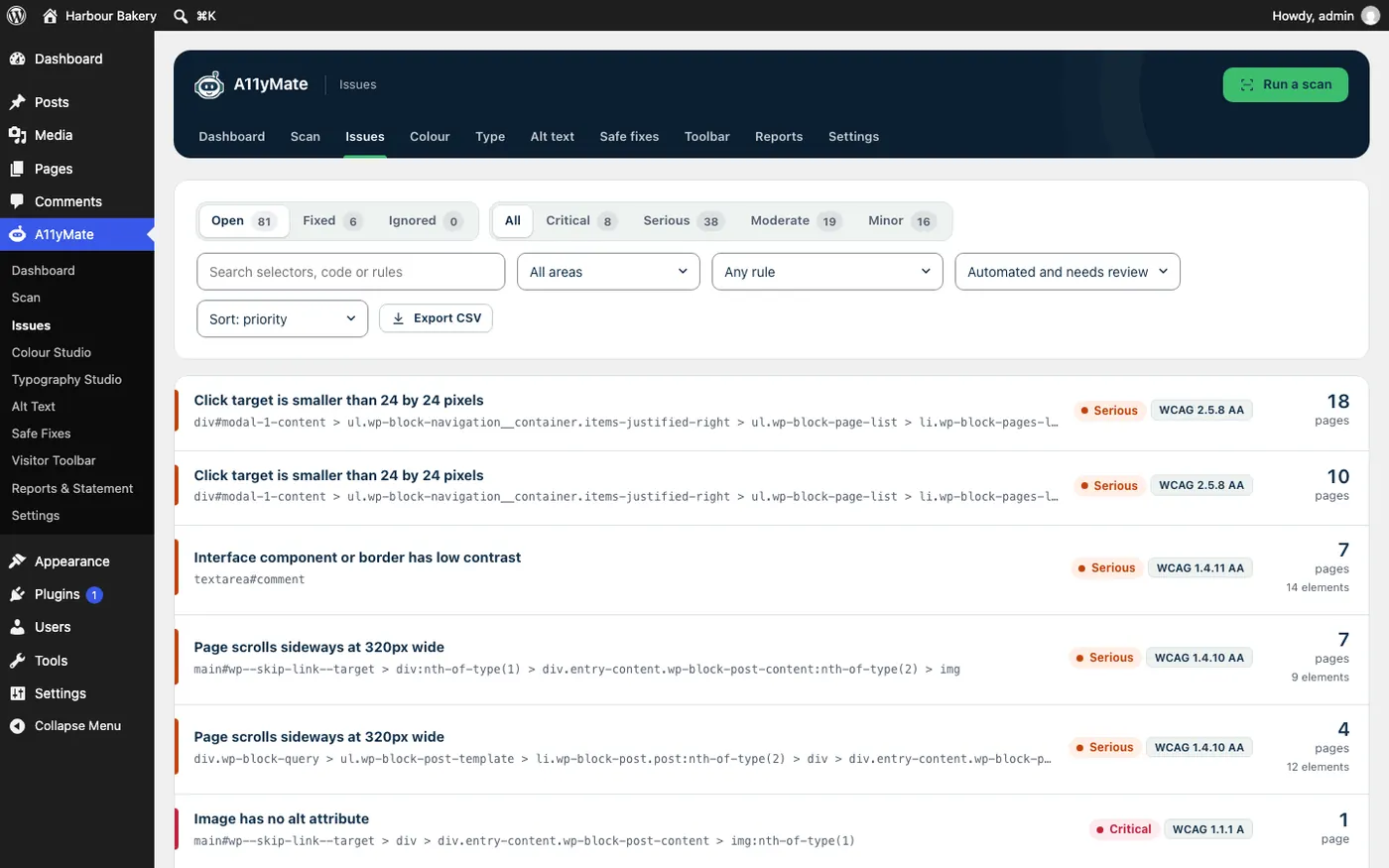
- A whole-site audit - every page, with each problem ranked by severity, tied to its WCAG 2.2 criterion and counted across the pages it affects.
- Plain-English fixes - each issue says what’s wrong, who it affects and how to fix it, with the element shown.
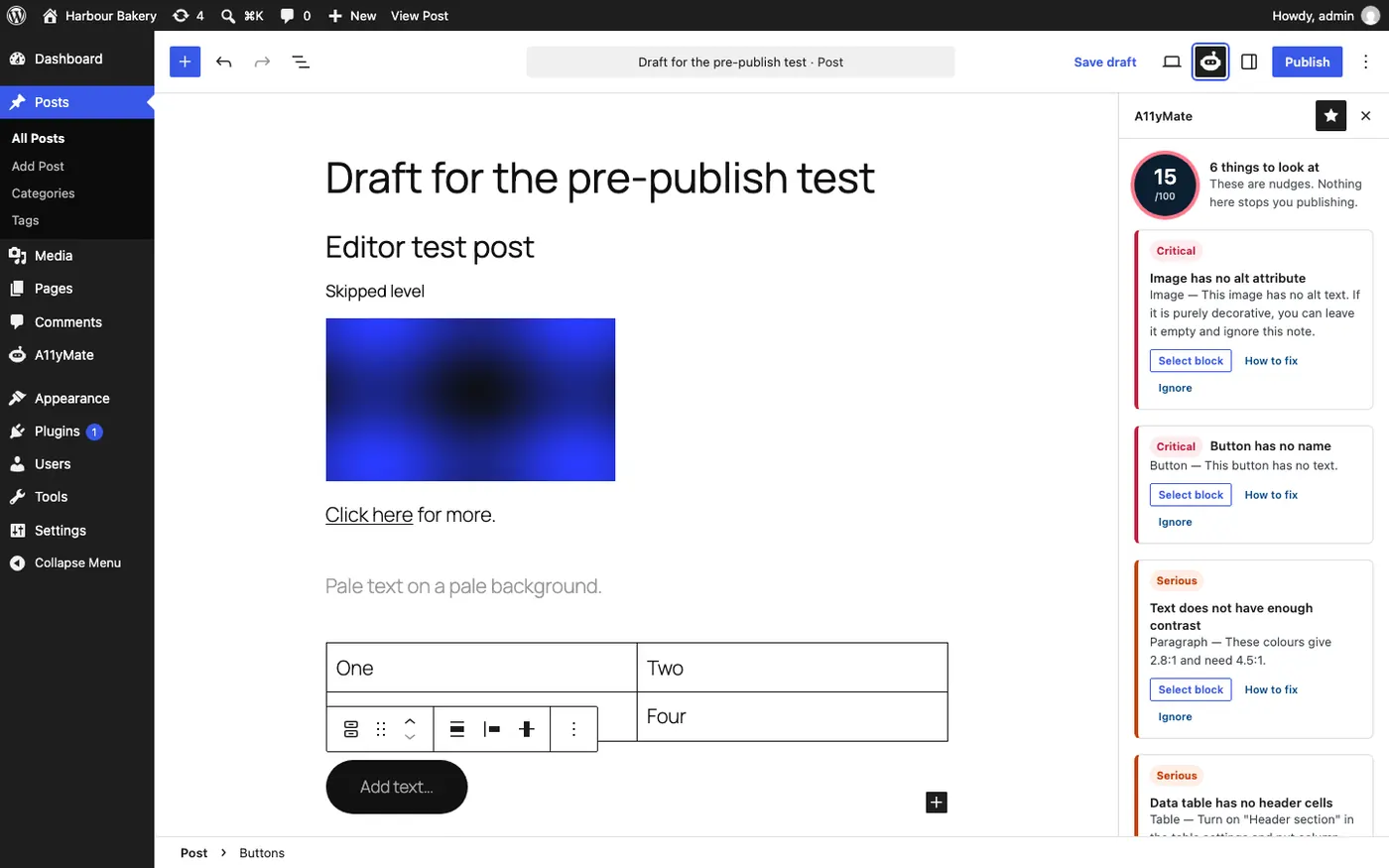
- An editor assistant - while you write a post, it flags problems such as missing alt text, empty buttons, low contrast and tables without headers. They’re nudges, and nothing stops you publishing.
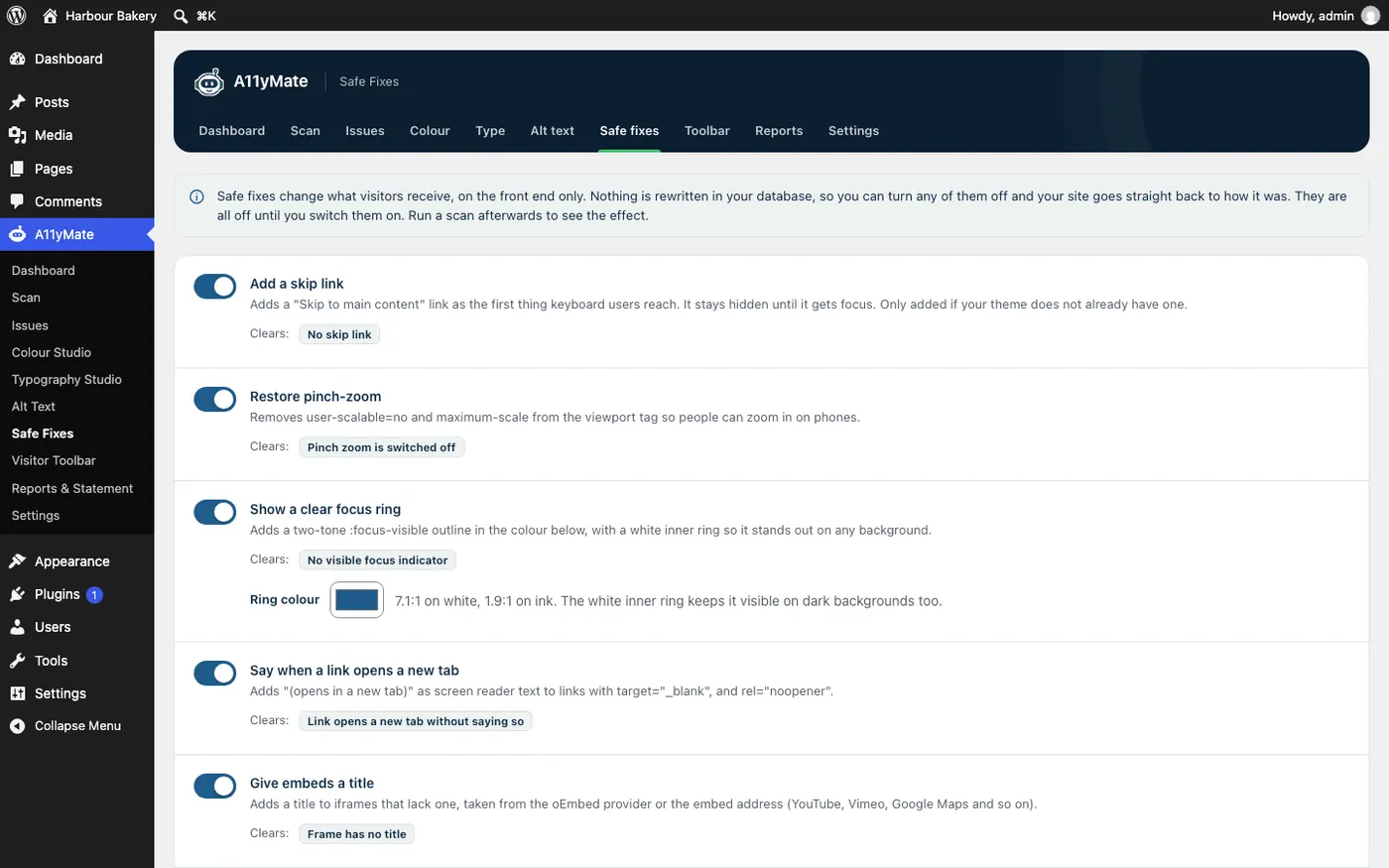
- Safe fixes - small fixes to what visitors receive, such as a skip link, a visible focus ring, restored pinch-zoom and titles on embeds. All off until you switch them on, nothing rewritten in your database, and you can turn any of them off again. Anything that needs a human decision is left for a human.
- Colour and type studios, a visitor toolbar, and a printable report and accessibility statement for the owner and for whoever has to ask.
- A free page checker at a11ymate.co.uk/check: one page, no signup.
An Honest Approach
Automated tools find only part of the accessibility problems on any site, and A11yMate says so on the screen. There’s no compliance score, no badge and no promise of guaranteed compliance, because none of those can be true of a scan alone. It tells you what it found, what it couldn’t check, and what a person needs to test by hand: keyboard use, a screen reader, zoom and reflow. That is how OakFox’s audits work too: A11yMate for the repeatable scanning, people for the rest.
The Design
A11yMate is a friendly robot with a big round head, a navy visor, green ears and an antenna. We redrew it as clean vector so it stays sharp from a 16px menu icon to a banner. The chest carries a focus ring, the outline that shows where you are when you use a keyboard, rather than a shield and a tick, so the mascot never suggests a compliance certificate.

Brand colours
- Navy #13304A
- Blue #1F5C8B
- Green #3DBE6E
- Paper #F6F8F7
Colours are chosen for contrast first, with the ratios written down.
What We Built
- The WordPress plugin: scanner, issue list, safe fixes, editor assistant, colour and type studios, visitor toolbar, reports and statement
- The brand: the robot mascot, wordmark, palette and WordPress menu icon
- The marketing website (a11ymate.co.uk) and the free one-page checker
- Hosting on OakFox’s own server
Visit A11yMate · Free page check · OakFox accessibility audits and fixes

